
Russian or English?
Introduction
In an earlier article I covered the general background of my Telegram bot project, World for Life Bot.
In this article I will share my experience implementing multilingual support: the principles I followed when choosing languages, the technical details of the implementation, and the decisions I made.
The Task
From the very start of developing the Telegram bot, I set myself the ambitious goal of a service that is accessible and understandable to users around the world. Supporting several languages was a key question, given the international nature of the audience.
When defining the list of supported languages and choosing the default language, I based the decision on a few key considerations:
- Telegram's audience: Given Telegram's popularity in the Russian-speaking segment, Russian was chosen as the primary language. This decision was meant to make the bot as convenient as possible for the initial target audience.
- An international language: English, the most widely used and universal language of international communication, became the bot's second official language. This choice let the bot address a broad range of users worldwide.
- Default language: When a user's language matched neither Russian nor English, we settled on English as the default, given its international status and wide spread.
Additional Requirements
We also implemented functionality that lets users switch to one of the bot's official languages at any moment. This was meant to make the bot more convenient for an international audience.
It works quite simply:
-
On the main page, open "Profile".
-
In the profile, press "Choose language".
-
Then pick the interface language.
That's it — the bot is now fully in the language you picked. The setting is saved, so no repeated action is needed.
Minimizing the Cost of Adding Languages
While developing the multilingual Telegram bot, I paid particular attention to minimizing costs and simplifying the process of adding new languages. The main task was to find the best way to implement multilingual support without substantially increasing the complexity and cost of development.
The first key decision I made was to avoid putting text directly into the bot's code. All of the bot's text content is organized through variables, which makes language versions easy to manage. Every piece of text in the code is a variable, which is converted into the corresponding label right before it is added to the user interface. This gives flexibility and convenience when managing multilingual content.
def get_text(param: str, lang: str = 'ru') -> str:
    """ get text based on language settings """

    ret: str = ""

    # form text based on language settings
    # in case of key is absent in the dictionary - print param`s name
    if lang == 'ru':
        ret = LEXICON_RU.get(param, param)
    elif lang == 'en':
        ret = LEXICON_EN.get(param, param)
    else:   # by default in English
        ret = LEXICON_EN.get(param, param)

    return ret
This approach also solved the default-language question. If a translation is missing or a variable was skipped in the dictionary, the user sees the raw variable name, while the bot's functionality stays intact. That keeps the bot stable even when localization errors occur.
Now, instead of formatting text directly, the whole codebase uses:
txt = get_text('city_CoL_info', language)
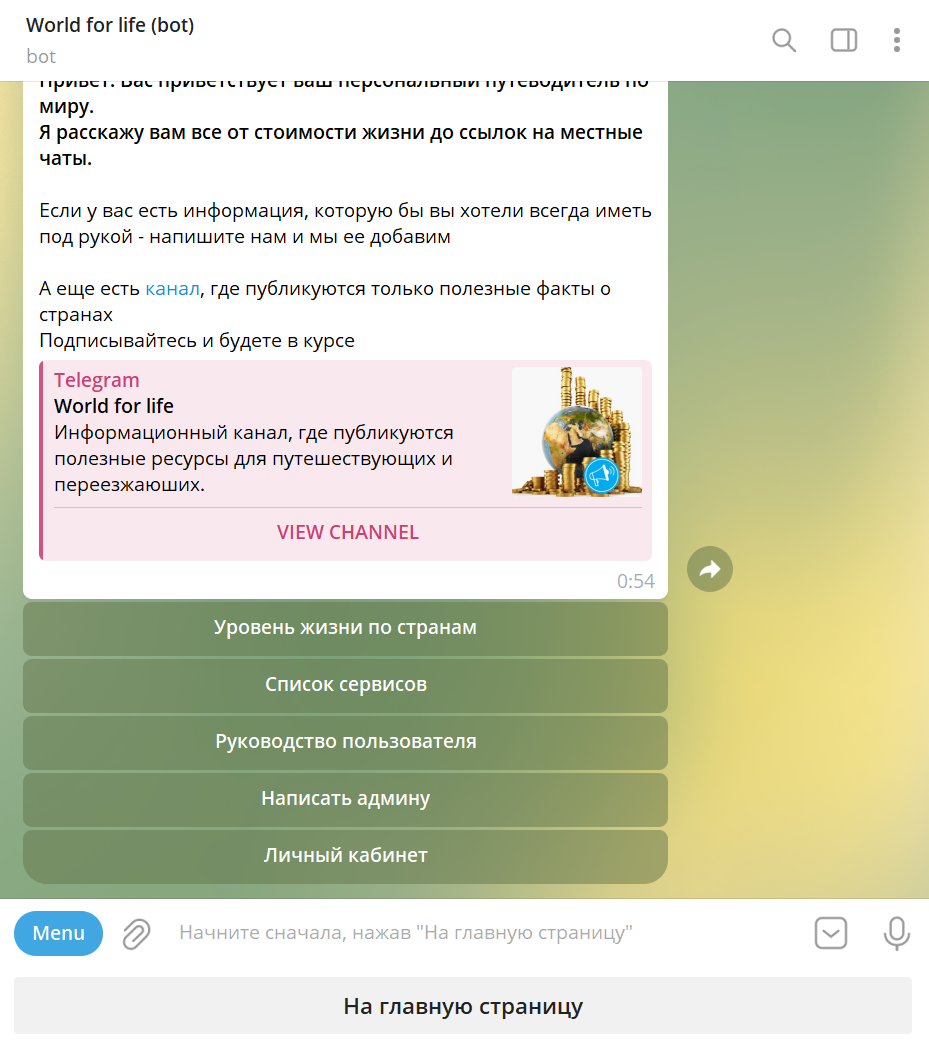
How is it all stored? That is equally simple — one dictionary per language.
LEXICON_RU: Dict[str, str] = {

    # ------------------MAIN------------------#
    # buttons
    'cost_of_living': "Уровень жизни по странам",
    'all_services': "Список сервисов",
    'to_bot_guide': "Руководство пользователя",
    'propose_new_feature': "Написать админу",
    'profile': "Личный кабинет",
    'to_main': "На главную страницу",
    'cancel': 'Отмена'
  }
Taking the addition of Spanish as an example, I will show that this algorithm is extremely efficient and flexible. Adding a new language to the Telegram bot happens in a few well-defined steps, minimizing effort and time.
- Translating the lexicon dictionary: As the first step, we take the bot's existing Russian lexicon dictionary, where every phrase corresponds to a unique key. This dictionary is handed to a freelancer or a translation service to translate the values into Spanish. Note that the keys stay unchanged.
- Integrating the translation into the system: Once the translated dictionary arrives, I add just two lines of code to the
get_textfunction, which is responsible for outputting text in the bot's interface. These lines let the bot use the new Spanish dictionary according to the user's selected language. - Adding the language option: The last step is adding a button for selecting Spanish in the user's profile.
As a result, the whole bot — from menus and buttons to messages — is quickly adapted for a Spanish-speaking audience.
Flexible Dictionary Scalability
As the bot grew and gained features, we moved to a module-service architecture. Each built-in feature is packaged as a library with a defined structure. Expanding the shared dictionary started to become awkward: you had to reserve a region of the common space for the module and keep track of key uniqueness.
In the end I settled on the following solution:
The assets file — part of the standard structure, which also contains a lot of other useful things describing the module — gets its own lexicon dictionary, used only inside that module.
Lexicons: Dict[str, dict] = {
    # Russion localization
    "RU": {
        # ::buttons
        'ratings_service': "Рейтинги",
        'to_ratings_main': "К списку рейтингов",
        'country_cost_of_living': 'Стоимость жизни по странам'
      },

    # English localization
    "EN": {
        # ::buttons
        'ratings_service': "Ratings",
      }
  }
The get_text function described above was modified slightly:
def get_text(param: str, lang: str = 'ru', lexicons: dict = {}) -> str:
    """ get text based on language settings """

    ret: str = ""

    # form text based on language settings
    # in case of key is absent in the dictionary - print param`s name
    if lexicons == {}:
        if lang == 'ru':
            ret = LEXICON_RU.get(param, param)
        elif lang == 'en':
            ret = LEXICON_EN.get(param, param)
        else:   # by default in English
            ret = LEXICON_EN.get(param, param)
    else:
        lexicon: Dict[str, str] = lexicons.get(lang.upper(), {})
        ret = lexicon.get(param, param)

    return ret
Now we can use either the bot's global lexicon or a module's local one, passing it as a parameter to the function.
In the end I got simplicity when adding modules — essentially an isolated function with its own lexicon. On the other hand, I kept the flexibility of scaling languages; the only difference is that the translator now receives not one file, but a scatter of asset files.
This solution is the current implementation and it suits me completely. So I have stopped looking further into multilingualism and can move on to other features.
Something Interesting
Now, for dessert, a bit of statistics. After reading all of the above, you may have the question: "If it is all so simple, why haven't you localized into other languages yet?" There is an explanation.
By the numbers, 80% of the bot's users are Russian-speaking and 16% are English-speaking.
All other languages together account for just 4%. You can see how users are distributed by language in the chart below.
Constantly extending and syncing those languages, however, is expensive work. So when the project breaks into an international market, it will be simpler to localize everything from scratch than to keep maintaining languages that are not in demand.
Conclusion
Multilingualism in a bot is not just a technical task, but an important step toward building a service that is convenient and accessible to a broad audience. In this article I shared my experience and the decisions I made, which should help other developers in their projects.